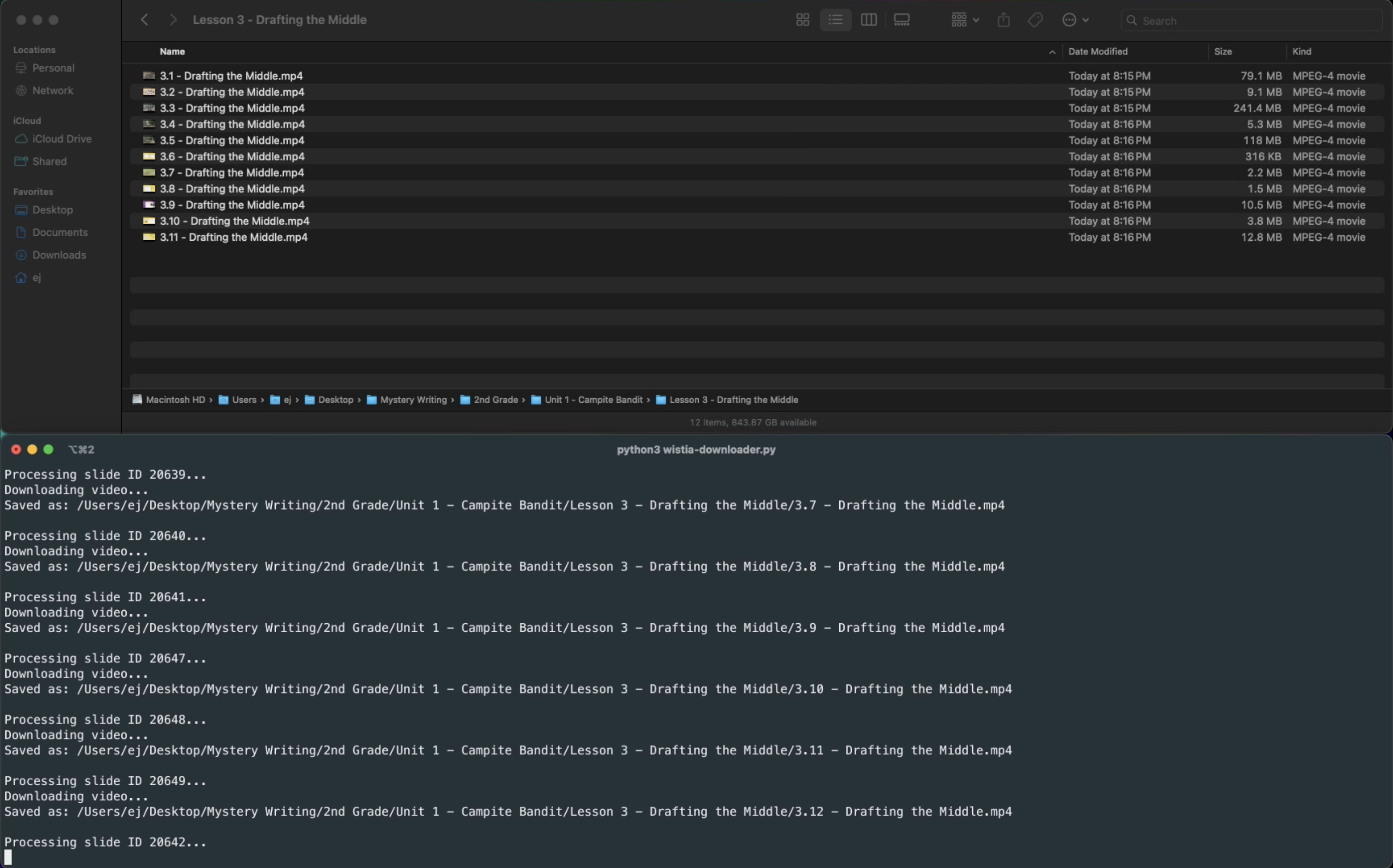
After exploring the backend code of education platforms and professional development sites for teachers, I started noticing a pattern. Instead of hosting their videos on YouTube (which is what I had always assumed was the default), many of these businesses were using a platform I hadn’t heard of before: Wistia.
After doing some research, I discovered that Wistia is a video hosting platform built for businesses. Unlike YouTube, it’s designed to keep viewers on the companies’ website, without no ads, no recommendations, and full control over the player experience. It’s used heavily in marketing, training, and education, often behind a login or embedded in slide decks or lessons.
What surprised me was that most Wistia videos embedded on websites aren’t actually private. Even though they’re not listed on YouTube or publicly searchable, they’re still accessible through public-facing URLs if you know where to look. I’ve used this method in college classes where there’s no easy way to download lecture videos from Learning Mangement Systems like Canvas or Blackboard.
This tool is meant to help teachers reuse or customize lesson videos without having to screen-record or jump through hoops.
Disclaimer: I didn’t build this to encourage piracy or abuse. These videos were already available to anyone who viewed the page, even when not logged in.
Inspecting the Source Code
As I was poking around in the source code of these websites I honestly wasn’t expecting to find anything too promising. But instead, I found a basic iframe embed with a Wistia URL. Nothing protected. No login check. No signed token. Just… a video. One right-click away from copying the link.
At first, I thought it was a fluke. But the more I checked, the more consistent it became. Pretty much all of the videos I came across on these training and curriculum sites were public Wistia embeds, often loaded in slide-based lessons using divs like <div data-slide-id="123">.
That’s when I realized that since these were public, I could write a script to automatically download all the videos in a lesson.
Building the Script
What my Python script does:
-
Goes to a lesson URL
-
Parses the page for slide IDs (which loads one Wistia video each)
-
Find the Wistia embed URL inside each slide
-
Pull down the best-quality version of the video
-
Save them locally with organized filenames
-
Eventually, I added support for auto-numbering, optional suffixes (e.g., 2.1 - Introduction.mp4), and even the option of merging the videos into a single file using ffmpeg.
If you’re curious to see the documentation for this script as well as a video example, check it out here: Wistia Downloader GitHub Repo.